5 Simple Steps to Clean All Your Remote Controls with a Toothbrush!
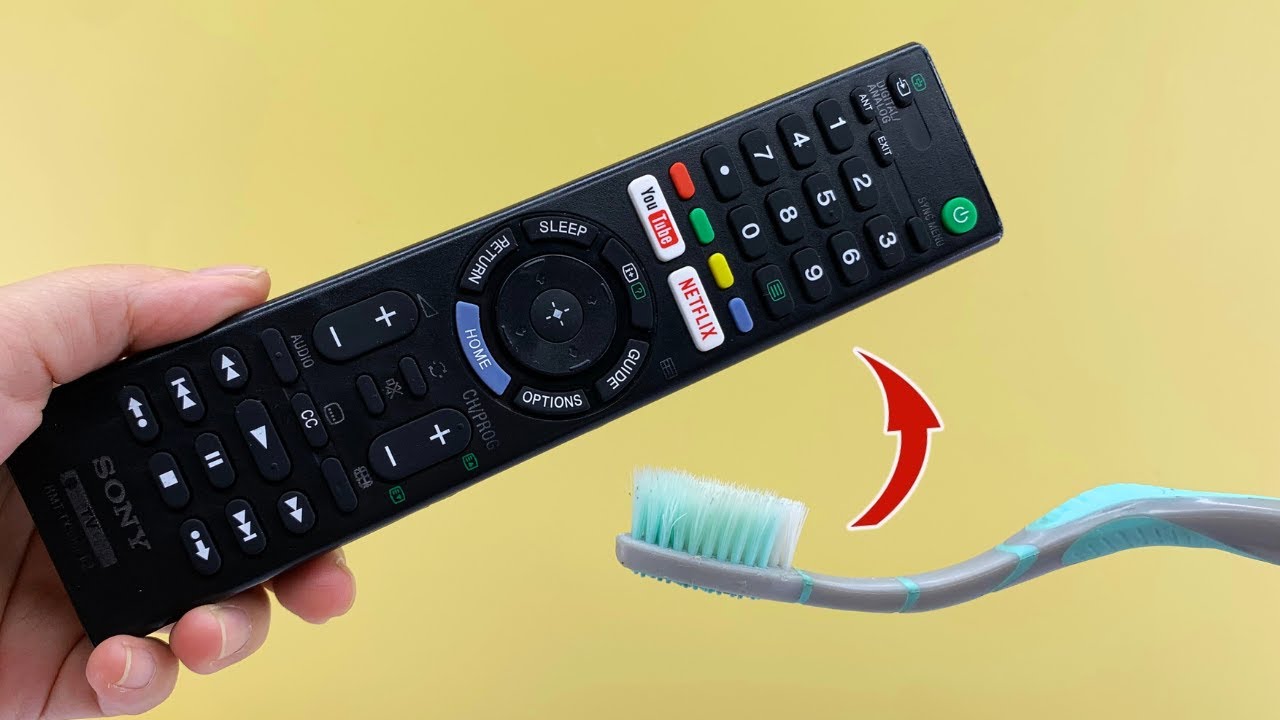
5 Simple Steps to Clean All Your Remote Controls with a Toothbrush
Introduction
After a long day, you finally sit down to relax with your favorite show, only to discover that your remote control feels grimy and sticky. This is a surprisingly common situation, as remotes are often overlooked when it comes to cleaning. With the build-up of dirt and oils from hands, remotes can become more of a hindrance than a comfort. Fortunately, a simple tool you likely already have—your trusty toothbrush—can make the task much easier. Keep reading to discover how to restore your remote to its clean state.
Required Materials
Before you begin cleaning your remote control, gather the following materials:
- A soft-bristled toothbrush
- A microfiber cloth
- Isopropyl alcohol or a gentle disinfectant
- Small bowl or dish for mixing
- Compressed air canister (optional)
Cleaning Steps
Cleaning your remote control doesn’t have to be a daunting task. Here are five simple steps to achieve the best results:
- Unplug the remote control: Before starting, make sure to remove any batteries from the remote to avoid damage.
- Prepare your cleaning solution: Mix equal parts of isopropyl alcohol and water in a small bowl. This mix will help disinfect while ensuring your remote doesn’t get too wet.
- Brush the exterior: Dip your toothbrush into the cleaning solution and gently scrub the buttons and surface of the remote. Be careful not to let any liquid seep into the openings.
- Clean between the buttons: Use the toothbrush to reach between the buttons, where dirt tends to collect. This step is essential for ensuring that your remote is completely clean.
- Wipe down with a microfiber cloth: Take your microfiber cloth, dampen it slightly with the cleaning solution, and wipe the entire surface to remove any remaining debris.
Common Mistakes to Avoid
While cleaning your remote control can be straightforward, avoiding common mistakes will ensure you don’t inadvertently damage it:
- Using too much liquid: Over-saturating the toothbrush or cloth can lead to moisture seeping into the remote.
- Not removing batteries: Always make sure to take out the batteries before cleaning to prevent any electrical issues.
- Using harsh cleaners: Stick to gentle solutions like isopropyl alcohol; avoid abrasive cleaners that could damage the remote’s finish.
- Skipping the detailing: Neglecting to clean between the buttons means you might be missing a lot of built-up grime, leaving it less than fully clean.
FAQ
1. How often should I clean my remote controls?
It’s advisable to clean your remote controls every few months, or whenever you notice a build-up of grime.
2. Can I use water to clean my remote control?
Water alone is not recommended; it’s better to mix it with isopropyl alcohol to ensure effective cleaning without excessive moisture.
3. What should I do if some buttons are stuck?
If you encounter stuck buttons, use compressed air to blow out debris from the cracks, then proceed with cleaning as outlined above.
Conclusion
Cleaning your remote control with a toothbrush is a simple yet effective way to keep it in good condition. By following these guidelines, you can ensure your remote stays clean and functional. How often do you find yourself cleaning your home gadgets? Your experiences would be interesting to hear!